TabVault
Orchestrator + reviewer · 3 clients (Chrome MV3, React PWA, Spring Boot API) · Built by my multi-agent system · Live on AWS ECS Fargate
Live: tab-vault.com
GitHub: tab-management
A production full-stack tab manager spanning a Chrome extension, a React PWA, and a Spring Boot backend, with an AI content-analysis pipeline. I produced it by running my own multi-agent development system, reviewing and approving every step.
The problem
I needed a real, non-trivial product to prove that my multi-agent development system could do more than scaffold a toy app. A throwaway CRUD demo would not have tested anything. So I set the bar high: a genuine full-stack product with three separate clients, asynchronous background jobs, an external AI integration, push notifications, and a real cloud deployment. If the system could ship that, with me reviewing each handoff rather than writing the code myself, it would be a credible result.
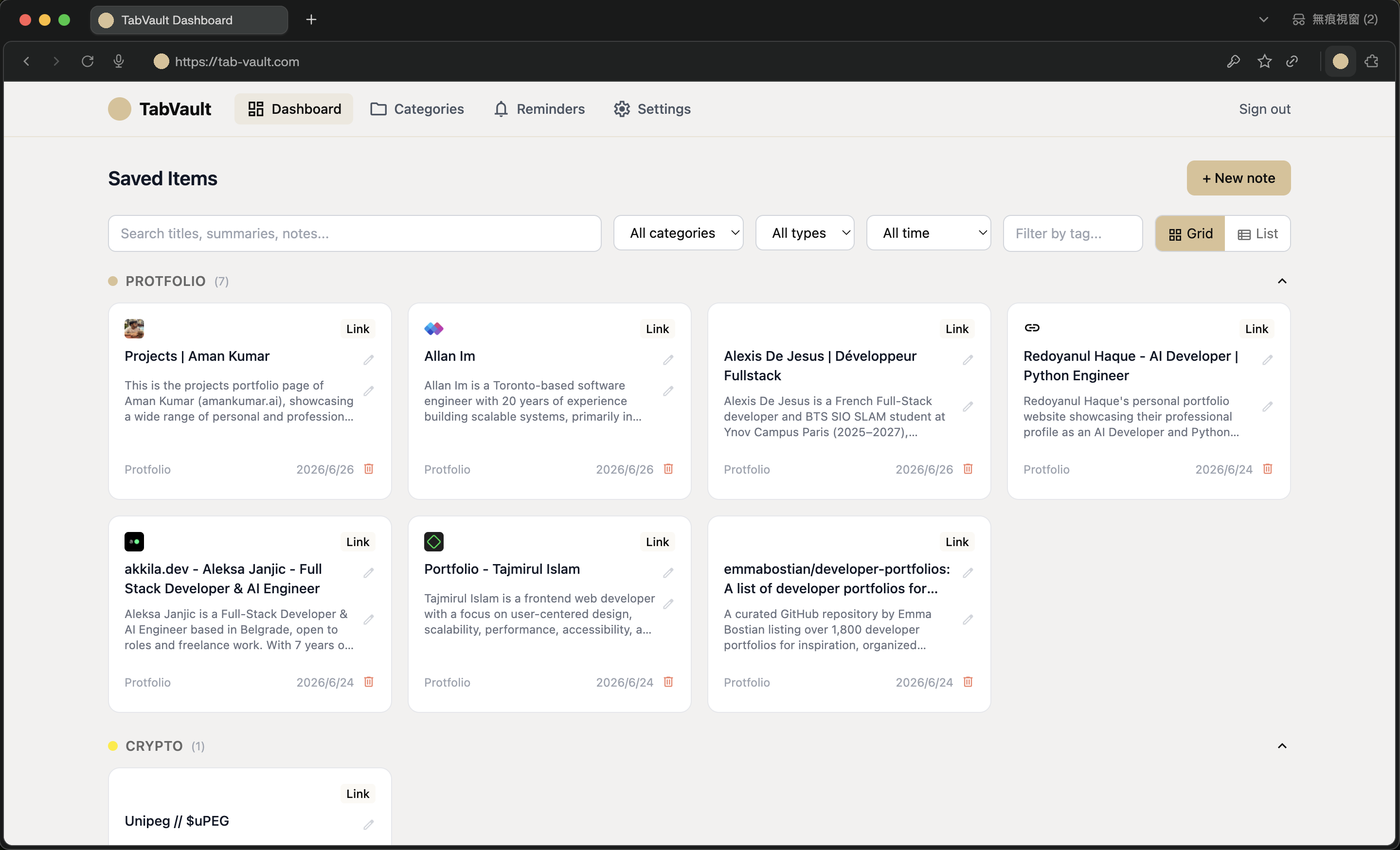
TabVault is that product. People accumulate browser tabs they mean to return to, which slows the browser down and buries content they wanted. TabVault lets someone save a tab in one action, close it immediately, and trust that the content and its context are preserved, searchable, and surfaced again when it matters. It is live in production.
My role
I was the orchestrator and the technical reviewer. The implementation came from my multi-agent system, but I directed the work and approved every design decision and handoff before it moved forward. That meant reading and signing off on the architecture, catching problems at each gate, and making the judgment calls recorded below. The deployment phase in particular was hands-on debugging: most of the incidents in the challenges section were ones I diagnosed and resolved directly. I understand every decision in this build because reviewing and approving each one was my job, and building the product this way was itself the real test of the system that produced it.
How it works end to end
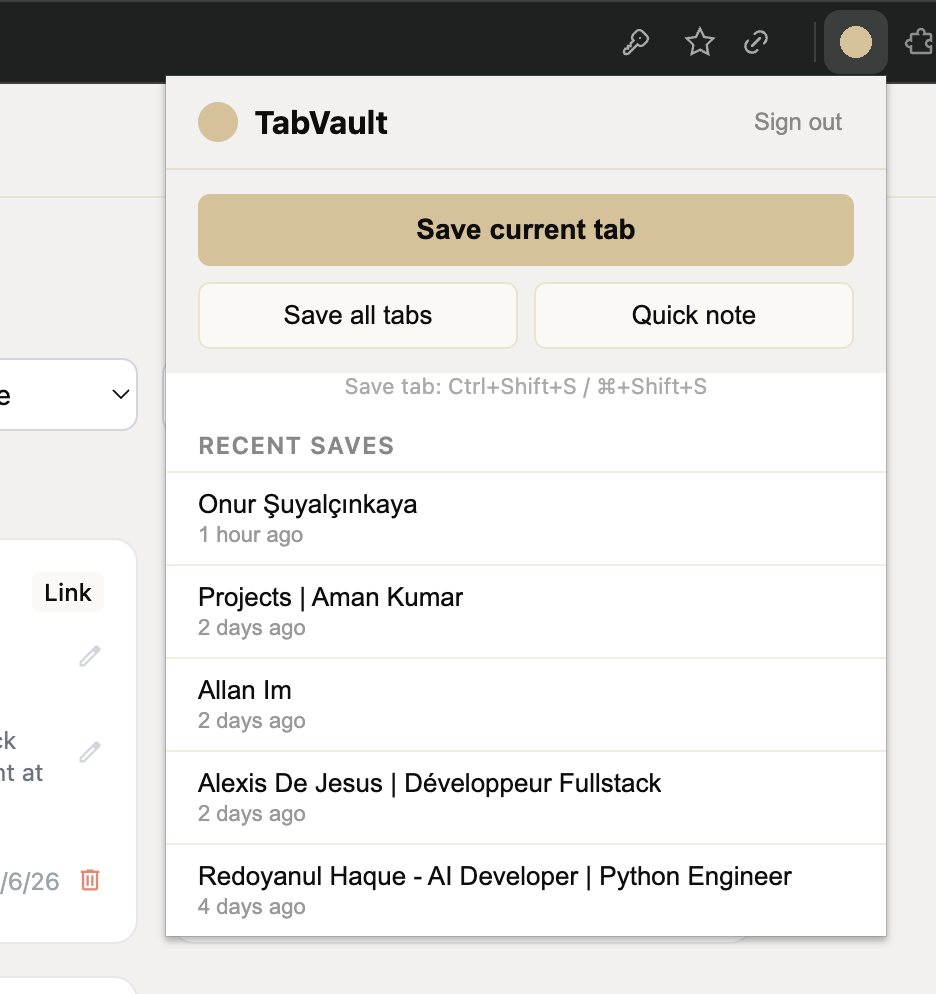
A user clicks the extension on a page they want to keep. The extension does not analyze anything itself; it sends just the URL and page title to the backend and returns instantly, so the save feels immediate and the tab can be closed right away. On the server, saving an item also writes a job record into an analysis queue table in the database. A background worker picks that job up, extracts the page's readable content using the right tool for the source, and calls the Claude API to produce a short summary, a suggested category, and any time-sensitive deadlines it finds. The results are written back onto the saved item, and the full-text search index updates at the same moment, so the item becomes searchable with its summary included. Later, the user opens the dashboard, finds the item by searching its summary, and sees a reminder that the system created automatically from a deadline it detected on the page. When that reminder comes due, a scheduled job sends a push notification to the browser or installed app.
That single journey exercises the capture client, the asynchronous pipeline, the AI integration, the search index, the scheduler, and push notifications, which is exactly why I chose this product as the system's proving ground.
Images
Architecture
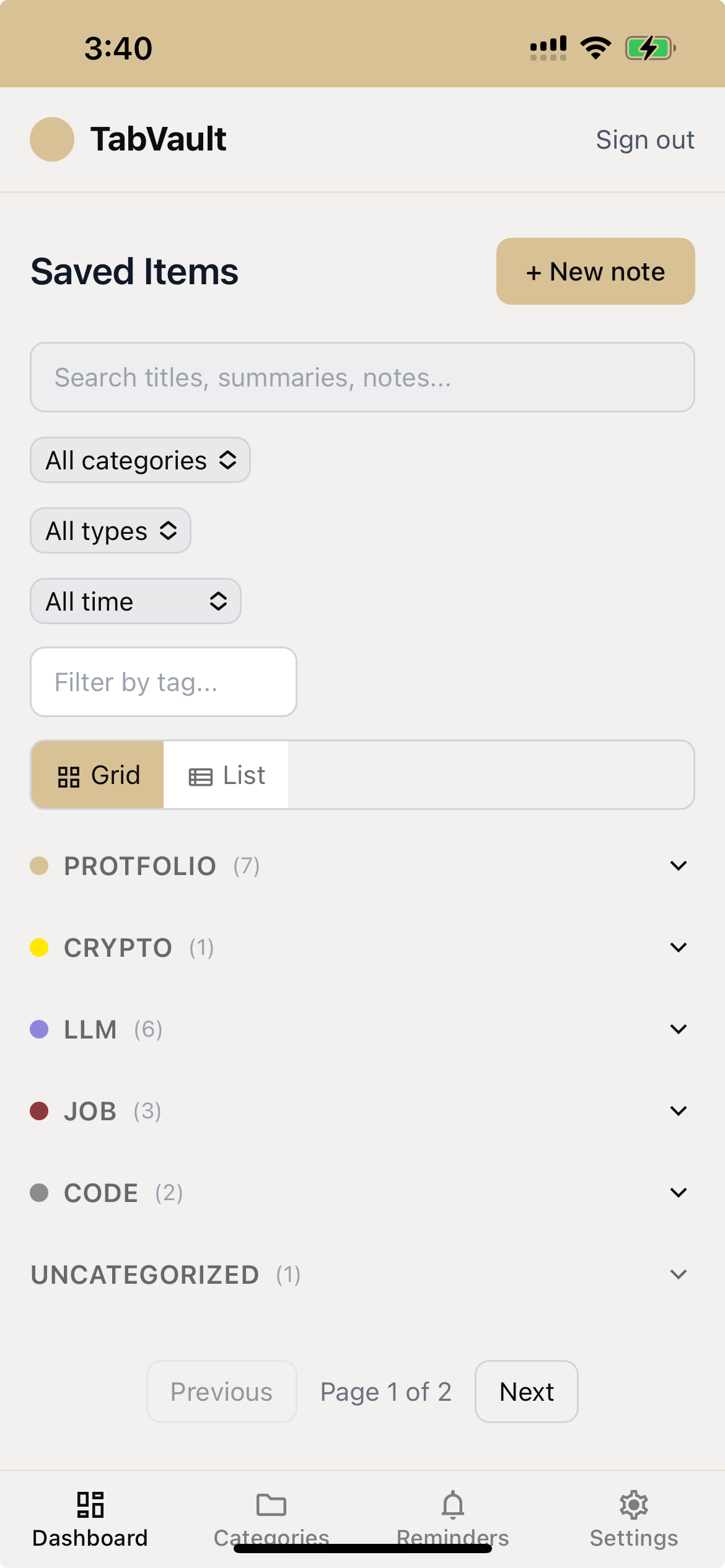
TabVault is three clients sharing one backend, organized into three layers. The client layer has two front ends that share conventions but deploy separately. The Chrome extension, built on Manifest V3, is the capture surface: a popup and a background service worker that stores auth tokens in the browser's local storage, because MV3 service workers are ephemeral and cannot hold state reliably in memory between invocations. The React PWA is the management surface for browsing, searching, editing, and organizing saved items; it installs as an app on desktop and mobile, caches its shell and recent data for offline use, and can receive URLs shared from other mobile apps through the system share sheet, queuing them when offline and submitting them once connectivity returns.
The backend is a single Spring Boot application exposing one REST API to both clients, split internally into four service areas: authentication, item management, the AI analysis pipeline, and the reminder and cleanup scheduler. The data layer is PostgreSQL as the system of record, with Redis for the URL-deduplication cache and rate-limit counters. Analysis work is tracked in a job table rather than held in memory, so a server restart never drops pending analysis. Full-text search is served by PostgreSQL search-vector columns kept current by database triggers, which fire both when an item is first saved and later when the asynchronous summary is written, so search stays accurate even though the summary arrives after the save.
One detail I insisted on: the Java API contract generates an OpenAPI document, and the front-end TypeScript types are generated from that document. The server's types are the single source of truth, so a backend change that the front end has not accounted for surfaces as a type error rather than a runtime bug.
Key engineering decisions
Scheduled jobs that survive ephemeral infrastructure. Reminders and auto-cleanup run on Quartz, whose default in-memory store loses every scheduled job when a container restarts. Since the app runs on Fargate, where tasks are ephemeral by design, that default would have quietly dropped reminders on every redeploy. Backing the scheduler with a database-backed job store makes triggers persist across restarts.
Refresh-token rotation for sessions that are both safe and long-lived. Access tokens expire after fifteen minutes, and every refresh issues a brand-new refresh token on a sliding seven-day window. Because each refresh token is single-use, a stolen one is useless almost immediately, while genuine active users stay logged in.
An asynchronous AI pipeline that never blocks the user. The save path does no analysis; it only enqueues a job and returns. All extraction and the model call happen on a background worker that writes results back when ready. The save feels instant and the analysis simply appears a moment later.
Keeping AI cost predictable. Page content is truncated to a defined token budget before every model call, and a URL-level deduplication cache avoids re-analyzing content that has already been processed. Cost control is a property of the design, not an afterthought.
Challenges and how I resolved them
Health checks silently blocked all traffic. The load balancer health-checks the app's health endpoint, but that endpoint sat behind the authentication filter and returned a 401, so every instance was marked unhealthy and the load balancer refused to route any traffic at all. The fix was to explicitly permit the health endpoint in the security configuration.
An image that built fine and ran nowhere. Building the Docker image on an Apple Silicon machine produced an ARM image, but Fargate runs on x86. The image built and pushed without any error and then failed silently at runtime, visible only in the task logs. Pinning every build to the x86 platform solved it.
A browser-extension origin the framework would not accept. Allowing the Chrome extension's origin through CORS threw an exception because the framework distinguishes between exact origins and wildcard patterns, and an extension origin needs the pattern form. A small API change resolved it, and it is the kind of trap any project with an extension client will hit.
A secrets-exposure near miss, caught by the process. Early on, the project directed me to fill an environment file with live secrets before an ignore file existed to keep it out of version control, one stray command away from committing credentials. Reviewing that step is what caught it. It is a good example of why a human approval gate at every step is not ceremony.
Impact
TabVault is deployed and running in production on AWS, served through a CDN and load balancer in front of containers on Fargate, backed by managed PostgreSQL and Redis. It is a complete product: save tabs from the extension or a mobile share sheet, get AI-generated summaries and categories, receive push reminders for detected deadlines, search everything by content, and browse offline through the installed app.
Just as importantly, it is the proof that my multi-agent system works. A real, multi-client, cloud-deployed application came out the other end of that workflow, with a human reviewing every handoff, which is exactly what the system was designed to make possible.
What I learned and what I would improve
Operating the system to build something this size taught me that the real difficulty in production software is rarely in the happy path. It is in the restart that drops your scheduled jobs, the health check that locks out all traffic, the token that should expire faster, and the image that builds fine and runs nowhere. Reviewing each of those decisions sharpened my sense of what 'done' actually means for a deployed system.
If I extended it, I would add real observability — metrics and tracing across the asynchronous pipeline so a slow or failed analysis is visible without reading logs — and I would put the deployment lessons above into an automated pre-deploy check so they can never recur by hand.